|
Getting your Trinity Audio player ready...
|
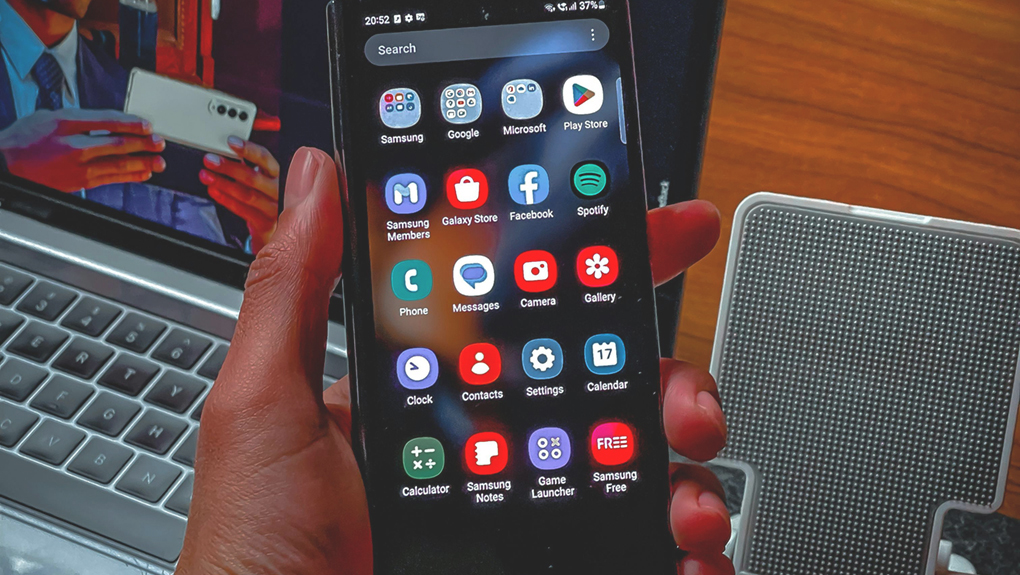
In today’s digital age, mobile applications have become an integral part of our daily lives, serving various purposes from communication to entertainment, productivity, and beyond. However, amidst the rapid evolution of technology, it’s crucial to ensure that mobile applications are accessible to everyone, including individuals with disabilities. Accessibility isn’t just a moral imperative; it’s also a legal requirement in many jurisdictions. In this comprehensive guide, we’ll explore the importance of accessibility in mobile app development and provide practical strategies for developers to ensure their applications are inclusive and accessible to all users.
Understanding Accessibility
Accessibility in the context of mobile applications refers to designing and developing apps in a way that ensures they can be used by individuals with diverse abilities and disabilities. This includes but is not limited to visual, auditory, physical, and cognitive impairments. Ensuring accessibility means removing barriers that might prevent certain users from fully utilizing and enjoying an application.
Why Accessibility Matters
The importance of accessibility in mobile applications cannot be overstated. Consider this: according to the World Health Organization (WHO), approximately 15% of the world’s population lives with some form of disability. By neglecting accessibility in app development, developers risk excluding a significant portion of potential users, not to mention violating laws and regulations that mandate accessibility standards.
Moreover, accessibility benefits extend beyond individuals with disabilities. Designing accessible apps often results in better user experiences for everyone. For instance, captions in videos not only benefit users with hearing impairments but also those in noisy environments or situations where audio playback is not feasible.
Designing inclusive digital experiences often aligns with broader digital marketing strategies that focus on usability, accessibility, and meaningful engagement across diverse audiences.
Examples of how digital innovation translates into measurable growth and impact can be explored through the VictoryVault case studies.
Key Principles of Accessible Design
Developers aiming to create inclusive mobile applications should adhere to several key principles of accessible design:
- Perceivable: Ensure that all information and user interface elements are perceivable by users, regardless of their abilities. This includes providing alternatives for non-text content such as images, videos, and audio.
- Operable: Make sure that the app is operable through various input methods, such as touch, keyboard, or voice commands. Users should be able to navigate, interact with, and use all functionalities of the app without barriers.
- Understandable: Strive to make the app’s user interface and functionalities understandable to all users. This involves providing clear instructions, feedback, and error messages, as well as maintaining consistency throughout the app.
- Robust: Build the app to be robust and compatible with different assistive technologies and platforms. This ensures that users can access and use the app effectively across a wide range of devices and environments.
Accessible interfaces become even more effective when supported by thoughtful user experience strategies that prioritize clarity, usability, and consistent digital interactions.
Practical Strategies for Accessibility
Now that we understand the importance and principles of accessible design, let’s delve into practical strategies that developers can implement to ensure their mobile applications are inclusive and accessible:
- Conduct Accessibility Testing: Before and during the development process, it’s essential to conduct thorough accessibility testing using both automated tools and manual testing techniques. Automated tools can help identify common accessibility issues, such as missing alt text for images or insufficient color contrast. However, manual testing is equally important to catch nuanced issues and ensure a comprehensive evaluation of the app’s accessibility. Testing and improving accessibility also reflects the same optimization mindset used in performance marketing strategies that focus on continual improvement through measurable insights.
- Prioritize Keyboard Navigation: Keyboard navigation is fundamental for users who cannot use touch screens or mice, such as those with motor impairments. Ensure that all interactive elements in the app, including buttons, links, and form fields, can be accessed and activated using keyboard shortcuts. Additionally, make sure the app’s focus order follows a logical sequence and is visually apparent to users.
- Provide Alternative Text for Images: Images play a significant role in mobile app design, but they can also present barriers to users who rely on screen readers or have visual impairments. To make images accessible, provide descriptive alternative text (alt text) that conveys the content and purpose of the image. Avoid using generic phrases like “image123.jpg” and instead provide meaningful descriptions that enhance the user experience. Clear image descriptions and accessible design often complement content marketing strategies that aim to communicate information effectively across different audiences and platforms.
- Implement Semantic HTML: Use semantic HTML markup to structure the app’s content in a meaningful way. This not only improves the app’s SEO and maintainability but also enhances its accessibility. Screen readers rely on HTML semantics to interpret and present content to users, so using proper heading levels, lists, and landmarks (such as nav, main, and footer) ensures a more accessible experience for all users.
- Ensure Color Contrast: Color plays a crucial role in mobile app design, but relying solely on color to convey information can be problematic for users with color vision deficiencies. To address this, ensure that the app’s color scheme maintains sufficient contrast between text and background elements. Use tools like WCAG contrast checkers to verify that text meets accessibility standards, especially for important content such as headlines, links, and form labels.
- Include Captions and Transcripts: For multimedia content such as videos and podcasts, provide captions or transcripts to make the content accessible to users with hearing impairments. Captions not only benefit users who are deaf or hard of hearing but also users in noisy environments or situations where audio playback is impractical. Additionally, ensure that video players offer controls for users to adjust playback speed, volume, and captions preferences.
- Design for Scalability and Flexibility: Design the app’s user interface to be scalable and flexible, accommodating users with varying screen sizes, resolutions, and zoom levels. Avoid fixed-width layouts and ensure that all content and interactive elements adapt gracefully to different viewport sizes. This not only improves accessibility but also enhances the app’s usability across a wide range of devices, including smartphones, tablets, and desktop computers.
- Provide Clear Navigation and Feedback: Navigation is critical for users to move through the app and understand its structure and hierarchy. Use clear and consistent navigation patterns, such as breadcrumbs, menus, and skip links, to help users orient themselves and navigate efficiently. Additionally, provide meaningful feedback, such as success messages and error alerts, to guide users and reinforce their actions throughout the app. Strong navigation structures also reflect broader digital growth strategies that focus on improving engagement, usability, and long-term digital interaction.
Organizations building inclusive digital experiences increasingly rely on structured strategies that combine accessibility, usability, and growth. Cosmos Revisits helps businesses translate digital innovation into measurable results through integrated digital marketing solutions.
All-in-all
Inclusivity and accessibility should be at the forefront of mobile app development efforts. By adopting accessible design principles and implementing practical strategies, developers can create mobile applications that are usable and enjoyable for all users, regardless of their abilities or disabilities. Investing in accessibility not only expands the app’s reach to a broader audience but also fosters a culture of inclusivity and empathy in the digital landscape. Let’s strive to build a future where technology truly serves everyone, leaving no one behind.
Looking to strengthen your digital presence with accessible and strategic digital solutions. Connect with Cosmos Revisits to explore how thoughtful digital marketing can elevate your brand’s growth.